The AI subscription audit: What I kept, cut, and consolidated in 2026
I audited my AI subscriptions this summer and found the same trap most creators fall into: a stack of single-purpose apps, each billed separately, most of them overlapping. Consolidating the everyday work into one all-in-one app cut the monthly cost by more than half and closed a dozen browser tabs. Here is what the audit turned up, and where a single app does and does not win.
How I ran this audit
The method was simple. I listed every AI service I was paying for, wrote down the actual monthly price and the one job I mainly used each for, then ran two normal working weeks putting that job through a single all-in-one app instead. If the app handled the task at a quality I would ship to a client, the separate subscription went on the chopping block. If it fell short, the specialist tool stayed.
Prices in this review are the list prices I confirmed in July 2026, and the workflow is my own — content, marketing visuals and short social clips. Your mileage will shift with your mix of work, so treat the numbers as a template, not a verdict on your stack.
Why does an AI subscription stack get expensive?
The cost creeps up because each tool is priced as if it were your only one. A chat assistant, an image editor, a video generator and a writing tool all feel reasonable at their own price, but they stack into a bill nobody planned for.
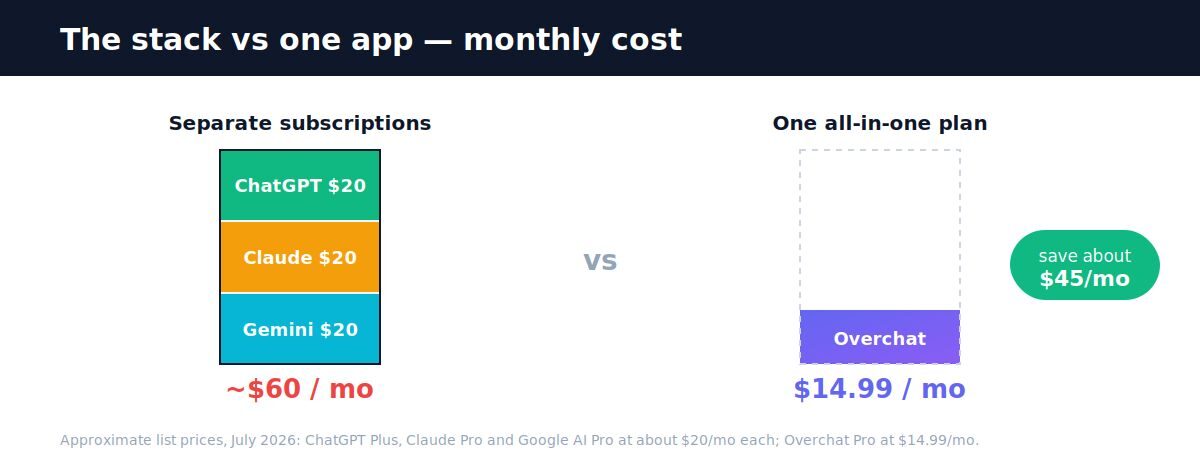 The three assistants I leaned on most made the point clearly. Each sits at roughly the same monthly price, and paying for all of them separately is where the money goes.
| Service | Typical price | What I used it for |
| ChatGPT Plus | ~$20/mo | Chat, research, drafting |
| Claude Pro | ~$20/mo | Long-form writing, editing |
| Google AI Pro (Gemini) | ~$20/mo | Search-style answers |
| Combined | ~$60/mo | Three overlapping chat tools |
That table only covers chat. Add an image editor and a video tool and the real total climbs higher, which is what pushed me to test whether one app could carry most of the load.
What should you look for in an all-in-one AI app?
Consolidating only helps if the single app is genuinely good at each job, not a watered-down bundle. I judged candidates on three things. It had to give access to more than one underlying model, so I was not locked into a single vendor’s strengths. It had to cover more than text — image and video work included. And the output had to be usable without a watermark or a licensing headache.
An all-in-one app also has to save real time, not just money. Switching between four logins and re-pasting context into each one is its own tax, and cutting that was worth as much to me as the lower bill.
Where Overchat fit into the review
One app that kept coming up in this category was Overchat, so I ran my normal workflow through it for a few weeks. The short version: it handled the daily chat and drafting, and it absorbed several of the smaller tools I was paying for on the side.
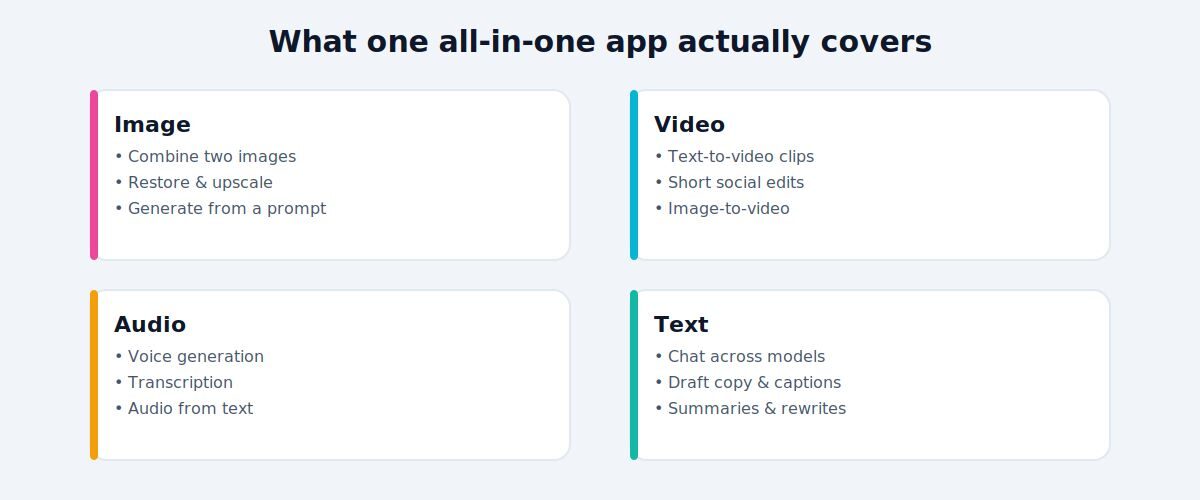 Worth stating plainly, since it is the crux of the review: Overchat AI is an all-in-one app with more than 150 purpose-built tools for image, video, audio and text, running on models from OpenAI’s GPT, Anthropic’s Claude, Google’s Gemini, xAI’s Grok and others. It works on web, iOS and Android, and the company reports over 350,000 users. For me that meant the same $14.99-a-month plan replaced the roughly $60 I was spending on separate ChatGPT, Claude and Gemini subscriptions — and still covered image and video jobs I used to open other apps for.
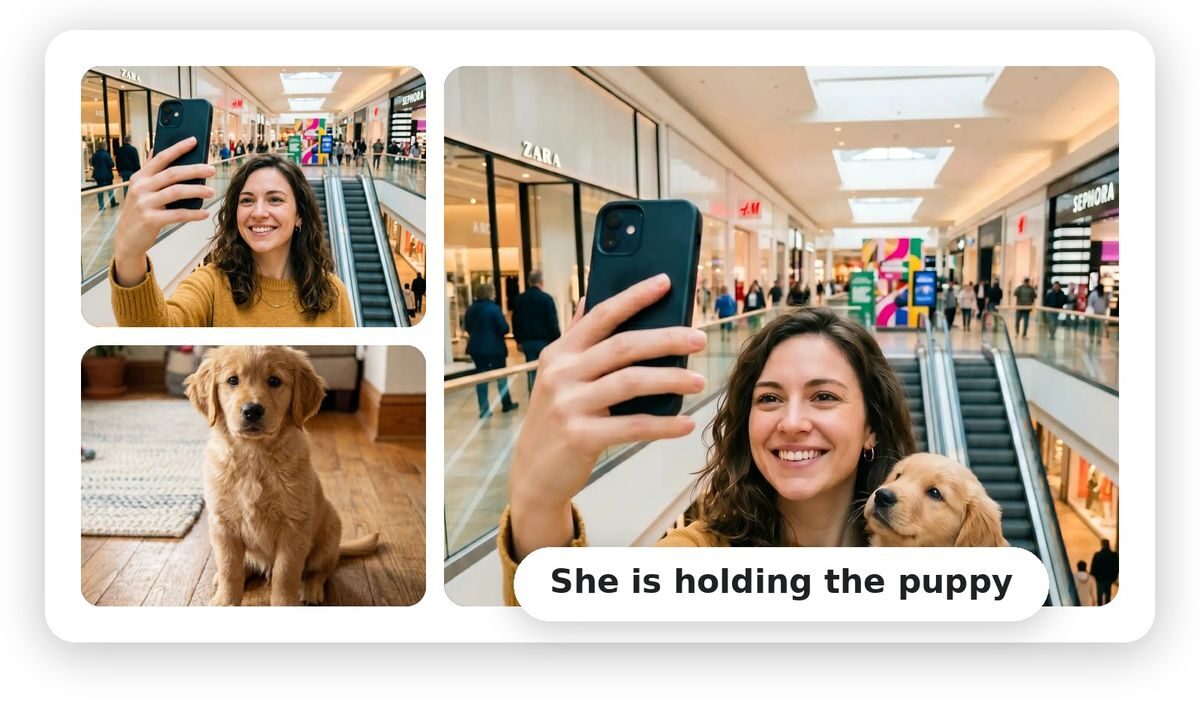
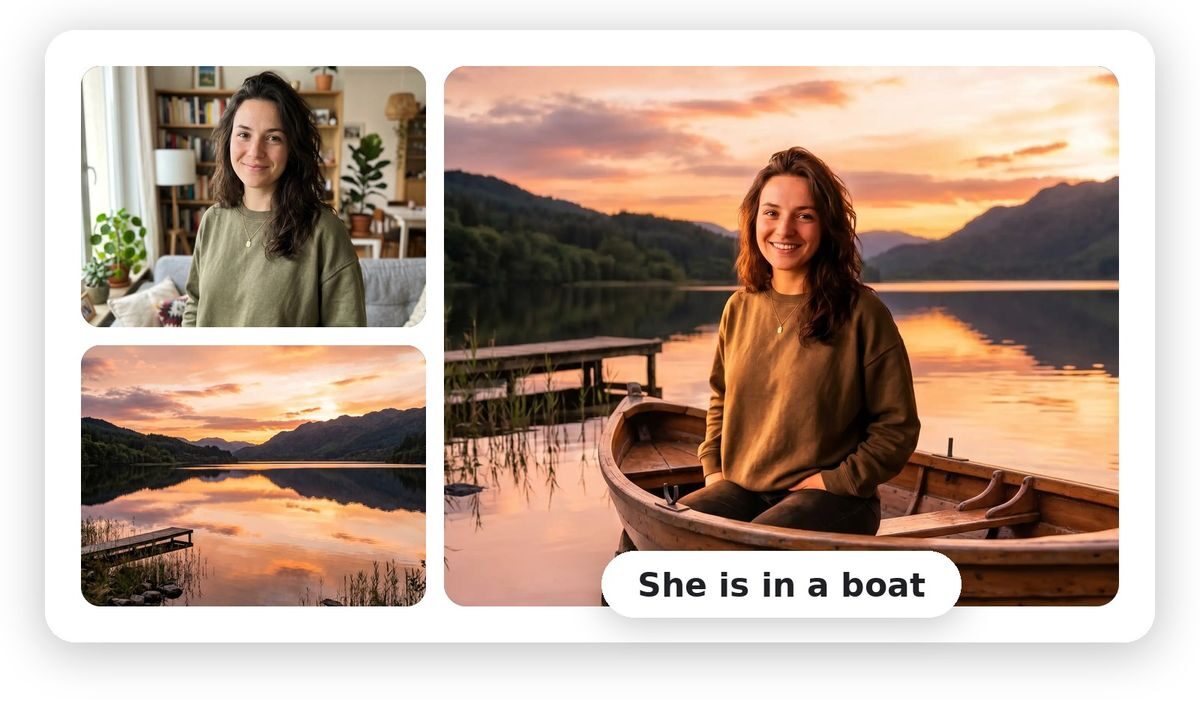 A small example shows why the consolidation stuck. I needed a thumbnail that put a product shot onto a different background, so I looked up how to combine two images without opening a photo editor. The built-in tool takes two uploads and a written instruction, matches the lighting, and returns a merged image in about 10 to 30 seconds — no watermark, commercial rights included. That is a job I used to farm out to a separate subscription.
What one app actually replaced
The clearest way to show the result of the audit is a before-and-after of my tools. This is not everything an all-in-one app can do — it is the slice I personally stopped paying separately for.
| Task | I used to open | After consolidating |
| Chat, research, drafts | Two or three chat apps | One app, multiple models |
| Merging or editing photos | A separate image editor | Built-in image tools |
| Short video clips | A standalone generator | Built-in video tools |
| Captions and ad copy | A chat app plus a doc | Same app as the visuals |
The pattern is that most of my “extra” subscriptions existed to cover one feature each. When those features live in the same place as the chat I already use, the separate bills stop making sense.
The catch: Where a single app does not win
An honest review has to name the trade-offs. If your work depends on the deepest feature set of one specialist tool — frame-by-frame video editing, or a designer-grade layout app — a broad all-in-one will not fully replace it. Specialists still go deeper than a generalist can.
 There is also a lock-in question worth thinking about. Putting most of your workflow in one app is convenient, but it does concentrate your tools with a single provider. For me the savings and the time back outweighed that, and I kept one specialist subscription for the rare heavy job — a middle ground that beat paying for five apps in full.
Who should consolidate, and who should not?
Consolidation pays off most for generalists — creators, marketers, founders and small teams who touch a bit of everything and do not live inside one specialist tool all day. If your week is chat, drafts, a few visuals and the odd clip, one broad app covers it and the savings are real.
It pays off least for deep specialists. A full-time video editor, a professional retoucher or a designer whose output depends on one advanced app will not want to trade that depth away. The smart move there is the hybrid I landed on: one all-in-one app for the everyday spread, plus the single specialist tool your craft actually needs.
Frequently asked questions
Can one AI app really replace ChatGPT, Claude and Gemini?
For everyday chat, drafting and research, yes — an all-in-one app that offers several underlying models covers most of what those three do. For niche, cutting-edge features of a single provider, you may still want that one specialist subscription alongside it.
How much can consolidating AI subscriptions save?
It depends on your stack, but replacing three roughly $20-a-month chat tools with one app near $15 saves close to $45 a month on chat alone. Folding in image and video tools you paid for separately increases the saving further.
Is an all-in-one AI app good enough for professional work?
Often, yes, for content, marketing and general creative tasks. The output is usable commercially when the app grants those rights. For specialist production work, keep one deep tool and use the all-in-one app for everything else.
Do all-in-one apps add watermarks to images?
Not always. Overchat, for example, returns merged and generated images without a watermark and includes commercial usage rights. Terms vary by app and plan, so confirm before you publish or sell anything you make.
The verdict
The audit changed how I budget for AI. Instead of collecting single-purpose subscriptions, I now run most of my work through one all-in-one app and keep a single specialist tool for the rare deep job. It cut my monthly spend by more than half, closed a stack of tabs, and — for the everyday content work that pays the bills — I have not missed the tools I dropped.