Adobe has released a Photoshop update that adds a new Markup feature for drawing directly on images and a Light Adjustment Layer with Lightroom-style lighting controls.
The Light Adjustment Layer adds non-destructive controls for exposure, contrast, highlights, shadows, whites and blacks inside Photoshop. Adobe said the feature is designed to deliver camera raw-level results without leaving the app’s layer-based workflow.
The update also adds a new AI feature called Instruct Edit with Masks, powered by Firefly Image 5. Adobe said users can mask part of an image and then describe specific changes through prompts, including edits such as opening closed eyes or placing a hat on a person’s head.
Adobe said unmasked areas remain untouched when using Instruct Edit with Masks, so protected parts of an image are not altered during the edit.
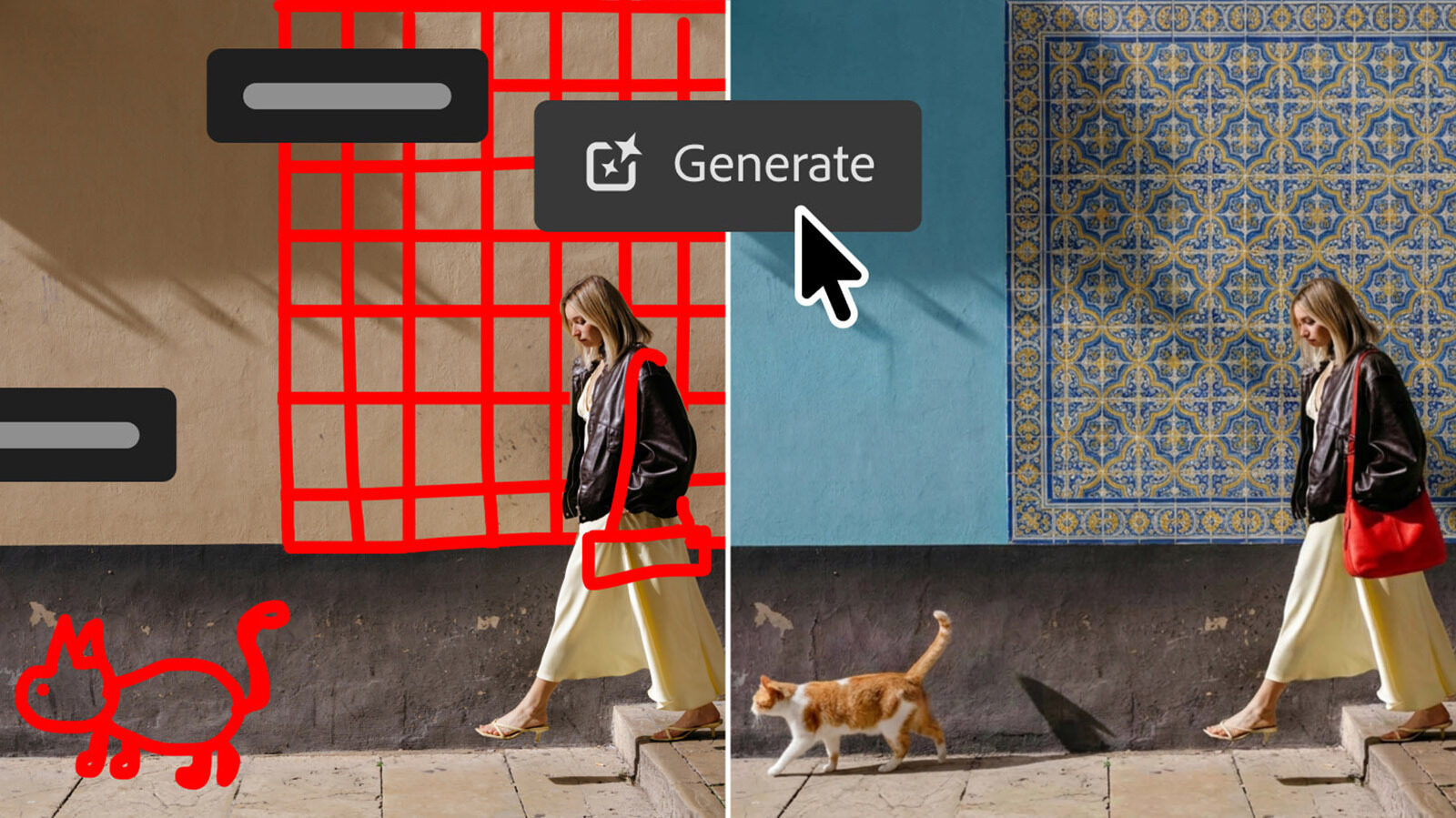
The new Markup tool combines hand-drawn annotations with text prompts to guide image edits. Adobe said users can select areas to recolor, sketch arrows to indicate placement, or draw rough shapes to suggest new elements.
In one example shown by Adobe, a roughly drawn cat and wall tiles were converted into photorealistic generated elements.
Adobe is also introducing an AI Assisted Editor in beta that groups several Photoshop AI tools into a dedicated interface with a natural-language prompt bar. The tools include Prompt to Edit, Remove Background, Generative Expand, Remove Tool, Generative Fill, Generative Upscale and AI Markup.
Users can still access those AI tools through Photoshop’s standard professional interface.
The update also includes Dynamic Text for custom shapes and paths. Adobe said the feature extends Photoshop’s Dynamic Text capabilities to any custom shape or path.
Adobe also added a Stock Panel Integration that provides access to more than 900 million Adobe Stock assets through a dockable panel inside Photoshop.
All of the new features are available in the latest Photoshop update through Creative Cloud.
Featured image credit